

1. Obtain an API Key
Complete Walkthrough
Complete Walkthrough
1
Sign Up for a Blockworks Research Account
Log in to your account
Choose your plan and log in to your account
2
Navigate to the API Key Management page
Profile > Account Management > API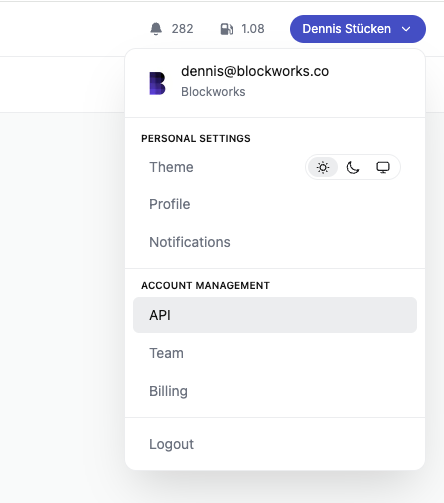
3
Create a New API Key
Enter a new name for your API key and click “Create Key”.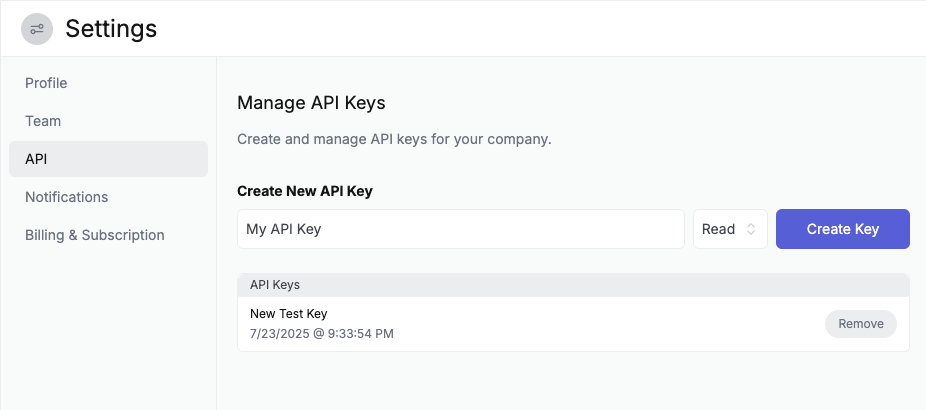
4
Save It Somewhere Safe
Once generated, you won’t be able to access it again. Copy the key to your clipboard and store it securely.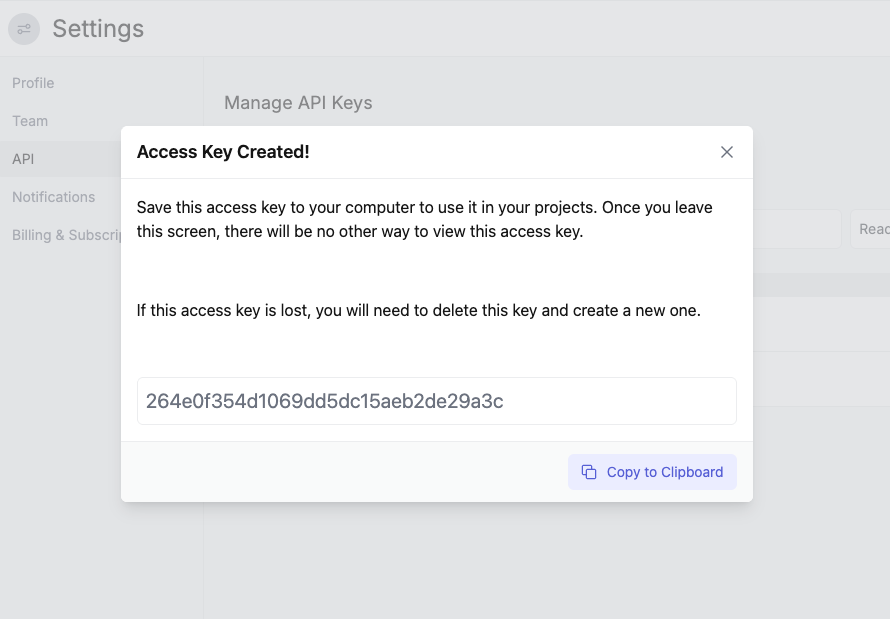
2. Use Your API Key to Make a Request
Once we have our API key, we can make requests to the API. Here’s a simple example of how to fetch the list of available assets:Example Response
Most API responses follow a consistent structure, with thedata property containing an array of items,
a total property indicating the total number of items,
and a page property indicating the current page.